 24 Color Polygon N
There are three primary types of 24 components: RGBA color shaders (many of which are implementations of 23 RGB color shaders), RGBA packed mixers that mix two RGBA streams, and the composite XYza functions that create interesting 2D tiled spaces + value + alpha mask (these are illustrated later in this chapter in some detail). In version 1.5 a large number of RGBA textures have been added and they all shares the same parameters and options so that all possibles color modes and frequency/Amplitude options are supported. All new function are DF compatible when the option DF mode or DF voyager mode are selected.
24 Color Polygon N
ArtMatic script function :
parameters :
A : Sides (2.0 : 22.0)
B : Radius (0.0 : 16.0)
C : Color Cycle (0.0 : 1.0)
D : Color Saturation (0.0 : 1.0)
discussion :
This component creates a color polygon whose color is determined by the 'Color Cycle' parameter. The alpha mask fades to 0 at the polygon edges and has its maximum value at the polygon center. 'Sides' parameter sets the N side of the regular polygon, up to 22. The Algorithms sets which mode the rendering of the polygon will use.
 24 Color Circle
ArtMatic script function :
parameters :
A : Amplitude (-8.0 : 8.0)
B : Radius (0.0 : 24.0)
C : Color Cycle (0.0 : 1.0)
D : Color Saturation (0.0 : 1.0)
discussion :
This component is an RGB shader that creates a circle and circular alpha mask. When the 'Amplitude' (parameter A) is greater than 0, the circle is in color and the background is black. When the Amplitude is less than 0, the circle is black and the background is in color. When shaded 'Amplitude' influences the distance over which the transition is made. When the absolute value of the amplitude is small, the area over which the transition occurs is large. When the absolute value of amplitude is large, the transition occurs over a small distance, and the circle will appear to be two-toned.

The circle using Balanced + frame shaded mode
 24 Color Line
ArtMatic script function :
parameters :
A : Angle (-180.0 : 180.0) angle in degree
B : Size (0.0 : 32.0)
C : Color Cycle (0.0 : 1.0)
D : Color Saturation (0.0 : 1.0)
discussion :
Color Line render a line of variable length according to the algorithm below. 'Size' sets the line length while 'Rotation' in degree sets the line orientation.
 24 Color Neon Line
ArtMatic script function :
parameters :
A : Rotation (-3.142 : 3.142)
B : Size (0.0 : 32.0)
C : Color Cycle (0.0 : 1.0)
D : Color Saturation (0.0 : 1.0)
discussion :
This component is similar to color line but has diffuse edges that give a 3D or glow-like appearance. See also the 34 Color Neon Line version.
 24 Gaussian Dot #
ArtMatic script function :
parameters :
A : Amplitude (0.0 : 8.0)
B : Radius (0.0 : 24.0)
C : Color Cycle (0.0 : 1.0)
D : Color Saturation (0.0 : 1.0)
discussion :
This component is an RGB+Alpha shaded version of the 21 Gaussian Dot. It creates a color circle with various shadings and sends the corresponding elevation in the alpha channel. 'Amplitude' affects the elevation/alpha an has an effect on the colors only with "Gaussian disk" algorithm. When the output is passed to ArtMatic Voyager, the result is a colored mound.
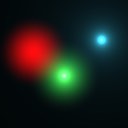
The various Gaussian Dot shaders. Example file in Libraries/Components demo/24 Gauss dot shaders.artm
 24 RGBa half plane
ArtMatic script function :
parameters :
A : Rotation (-180.0 : 180.0) angle in degree
B : Offset (-16.0 : 16.0)
C : Color Cycle (0.0 : 1.0)
D : Color Saturation (0.0 : 1.0)
discussion :
This color shading component is similar to the 14 version but maps space to a half-plane rather than mapping a single value. When used in DF mode this component will create an infinite colored plane that can be rotated in the OZ axis.
Half plane has the same shading options as 24 Color Polygon N above
 24 RGBa Pict/Movie
ArtMatic script function :
parameters :
A : Size (0.2 : 8.0)
B : Contrast (0.0 : 2.0)
C : Tiling (0.0 : 1.0)
discussion :
This RGB+Alpha color shader returns the input picture's (or movie's) alpha channel if there is one in 4th output. For a general guide to Pict/Movie components, see the Using Pictures and Movies chapter of the reference manual.
The image can be regulary Tiled or Jitter-tiled depending on the Algorithm choice. At "Size" parameter 1 the image fits the canvas at default zoom level (home button).
This component only needs to be used if the input pict/movie has an alpha channel or for its special tiling options.
In ArtMatic Engine 8.5 all color image components have the 1.5 RGBA Picts Options set.
 24 Pict/Movie Overlay
ArtMatic script function :
parameters :
A : Size (0.0 : 8.0)
B : Tile X (0.0 : 1.0)
C : Tile Y (0.0 : 1.0)
D : Input index (0 : 7) integer
discussion :
Pict/Movie Overlay coming soon
 24 RGBa Blurred Pict/Movie
ArtMatic script function :
parameters :
A : Size (0.2 : 4.0)
B : Contrast (0.0 : 2.0)
C : Blur (0.0 : 1.0)
discussion :
A color version of the 21 Blurred Pict/Movie component. The source image is loaded into an internal buffer and blurred. The loading time increases with the size of the image. Very, very large-sized images may take a long time to load since ArtMatic applies a high-quality blur algorithm and blurring is by nature a cpu-intensive task.
 24 Pict Atlas #
ArtMatic script function :
parameters :
A : Size (0.0 : 16.0)
C : Tile index (0.0 : 512.0)
D : Input index (0 : 7) integer
discussion :
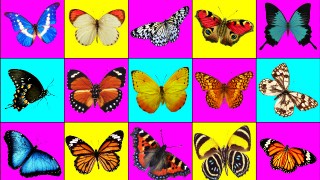
Pict Atlas # uses an array of images to handle many pictures at once. The size of the array can go from 2*2 to 16*16. By convention if a pict file name includes "atlasXX" and X is in the range 2-16 it will be interpreted as a valid Atlas and the cell size will be derived from that number.You can store a lower resolution version using "atlasXXTN" to speed up browsing and previewing of ArtMatic trees using Atlases as the Atlas file can be quite large and its not necessary to load the full size version for a small preview. The size of each Atlas cell is not necessarily square but must be an integer divider of the file size. With a 16*16 Atlas image you can use up to 256 images for a single input channel set by the "Input index" parameter (The Atlas can be imported in any input channel slot). Various algorithm are available and are listed below.
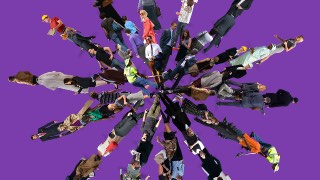
If you need other layout you can control and animate the placement of each cell with the 44 Motion Pict Atlas component.
Other layouts are available in 2D and 3D with the Atlas related algorithm in the 2D Architectural # component.
In ArtMatic Engine 8.5 all color image components have the 1.5 RGBA Picts Options set.
Examples can be found in ArtMatic Designer CTX/Libraries/PictAtlas/ folder.



 24 XYza Regular tiles #
ArtMatic script function :
parameters :
A : Scale (0.0 : 4.0)
B : Angle (-180.0 : 180.0) angle in degree
C : Frequency (0.0 : 32.0)
discussion :
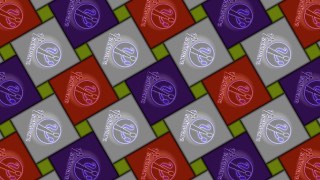
This component provides many different tiling algorithms, and like the other XYza components, the output is a a space transform from the two leftmost outputs, an index 'z' value from the third output and an alpha/elevation channel that delineates the tiles. Colors are derived from the index in z. In general the z index output is periodic with 3 discreet values.
Color Regular tiles # shares the same tiling algorithms but outputs RGB+Alpha rather than XYza output.
While only 3 regular tilings are geometrically possible with one regular polygon (square, triangle and hexagonal tiling), by relaxing the regularity of the tiling many other tilings are possible. The Cairo tiling, for example, which has been used since antiquity is especially interesting with its pentagonal angles in the 18º version.
Tile rotation is available (via parameter D) for some algorithms that changes the tiling pattern and tile shape. Such algorithms have an asterisk (*) in their names.
When mirror appears in an algorithm name, it means the coordinates are using mirror symmetries on the tile edges when sent from the tile XY outputs. 'Rotation' rotates the XY output coordinates but won't change the tiling structure.
The 3th output (z) is often used as an index fed into the 44 Packed index (w) Mixer to have different textures for each tiles.
The 4th output (a) can be used for 3D DF modelling when the option 'link amplitude to frequency' is chosen. In any case 'a' will hold each cell elevation/alpha mask where the edges are at zero so its possible to use 'a' for further contour shading with 44 RGB * alpha for example.


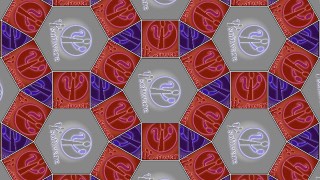
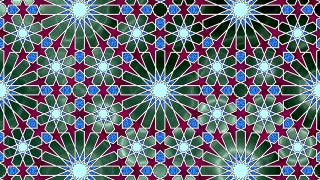
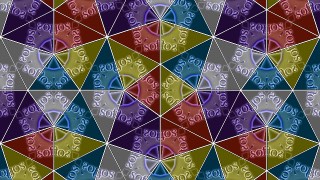
 24 XYza Semiregular tiles #
ArtMatic script function :
parameters :
A : Scale (0.1 : 4.0)
B : Angle (-180.0 : 180.0) angle in degree
C : Frequency (0.0 : 16.0)
discussion :
This component implements many interesting tilings that make use of two or more polygons. While the algorithms do not include all possible tiling, they include the most interesting ones. Several different foldings are provided for the beautiful Islamic star patterns.
For most algorithms, parameter A is Scale and scales the output space. However, for some algorithms, parameter A is Tile Spread. 'Frequency' sets the tiling frequency (the size of the tiles).'Rotation' rotates the XY output coordinates.
The z-output hold an index 'z' usually periodic can be used to assign colors or textures combining multiple tiling components. Possibilities are endless. Z-output is often used as an index fed into the 44 Packed index (w) Mixer to have different textures for each tiles.
When the option 'link amplitude to frequency' is chosen the 4th output (a) can be used for 3D DF modelling.
Example file : Libraries/Components demo/24 Tiling SR.artm


 24 XYza Voronoi tiles #
ArtMatic script function :
parameters :
A : Cell Spread (0.0 : 8.0)
B : Cell Angle (-180.0 : 180.0) angle in degree
C : Frequency (0.0 : 16.0)
D : Amplitude (0.0 : 4.0)
discussion :
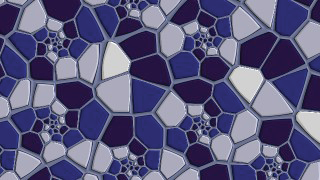
XYza Voronoi Tiles uses voronoi diagrams with various layout to provide non repetitive semi random tilings. Output alpha provides the mask for each cell while z provides a constant index for each cell. 'Cell Angle' will rotate each voronoi cell while "Cell Spread" will growth the cell space and modify the XY output coordinates scale. Voronoi Tiles is great for architecture, skins, and texture design.
When the option 'link amplitude to frequency' is chosen the 4th output (a) can be used for 3D DF modelling.
Since Voronoi diagrams are based on the minimum distance to a set of points the function is by nature non continuous at the cell boundaries. Smooth version of the function are available in the 21 bubble & Skins Tile.
Example: Voronoi D

Example: Voronoi Twirl
 24 XYza tiled disks #
ArtMatic script function :
parameters :
A : Scale (0.0 : 4.0)
B : Angle (-180.0 : 180.0) angle in degree
C : Frequency (0.0 : 8.0)
discussion :
This component tiles space into adjacent circular disks. The first parameter controls the disk size. Space outside the tiles is set to infinity. Some cool decorative effects based on disks are possible with these.
Example: Overlapping disks 45.

 24 XYza jitter disks
ArtMatic script function :
parameters :
A : Scale (0.0 : 8.0)
B : Jitter Amount (0.0 : 1.0)
C : Frequency (0.0 : 16.0)
discussion :
This component creates overlapping randomly displaced tiles whose overlap displacement is determined by the Jitter Amount parameter (B). When Jitter Amount is 0, the pattern is regular and tiles are non-overlapping . When Jitter Amount is at its maximum, tiles are randomized overlapping disks. Regions outside the disk sets z output to infinity.
Example: Overlapping disks 45.
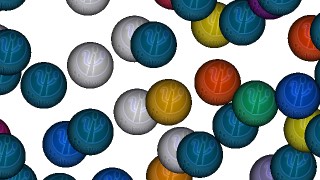
 24 XYza Polar Tile
ArtMatic script function :
parameters :
A : Size (0.0 : 4.0)
B : Tile # (1 : 32) integer
C : Phase (-32.0 : 32.0)
discussion :
This component creates a tiled polar remapping of space where the tiles get small the closer when gets to the Origin (0,0).
 24 XYza Quantizer #
ArtMatic script function :
parameters :
A : Z Amp % (0.0 : 1.0)
B : Mask shape (0.0 : 1.0)
C : Frequency (0.0 : 64.0)
discussion :
Unlike most of the other XYZa components, this component quantizes the input space rather and does not create tiles that repeat the same portion of space over and over. The size of the created ‘spots' or ‘zones' is determined by the Frequency parameter. When the frequency is low, the quantization creates large ones (resulting in coarse pixellation ) and small ones when the Frequency is high.
There are several algorithms that provide different mask & quantization shapes. The z output will have a constant random value per tile. This component is great for creating pixellation and crystallization effects.
Example: Mask:Octogons - here the quantisation uses the circles mask.

Example: Voronoi.
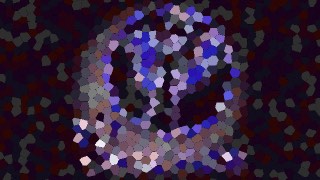
 24 XYza Sparse Spot #
ArtMatic script function :
parameters :
A : Scale (0.0 : 8.0)
B : Sparseness (0.0 : 1.0)
C : Frequency (0.0 : 16.0)
D : Profile % (0.0 : 1.0)
discussion :
This component maps the incoming space into a random arrangement of square or disks tiles depending on the option parameter. The 'Sparseness' parameter determines the density of tiles. The 'Scale' parameter controls the size of the coordinates XY in each tile.
The alpha mask sent in alpha 4th output is either a square or a disk. Regions outside the tiles sets z to infinity. Inside the tile z is a constant random value.
 24 XYza DF zones
ArtMatic script function :
parameters :
A : Frequency (0.2 : 25.0)
B : Sparseness % (0.0 : 0.990)
C : Level (0.0 : 1.0)
D : Smoothness % (0.0 : 1.0)
discussion :
XYza DF zones can be used in a similar ways than 34 jitter tiling # or 3D Repeats and Tile to instantiate a large number of DF primitives or graphics objects.
It basically tiles the 2D space and depending on sparseness will mask or not an instance in the tile using the a (alpha) output. The shape of the mask can be square or circle depending on the chosen algorithm.
The z output will hold a constant random value for each cell suitable to modify a particular instance.
The 'Scale' parameter is so that 1 will use the unit grid. It supports the frequency standard option to interpret the parameter as scale, frequency (1/scale) or VY kilometers.
Learn more about DF modelling in Building 3D Objects : DFRM guide.
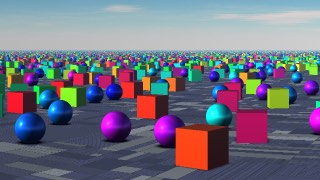
XYza DF zones populated with Spheres transforming into Cubes (Voyager Examples/Components/DF Zones & Clusters/DF Zones Cubes.vy)
 24 Appolonian Gasket
ArtMatic script function :
parameters :
A : Size (1.0 : 6.283)
B : Offset x (-16.0 : 16.0)
C : Offset y (-2.0 : 2.0)
discussion :
Creates an infinite band in X of Apollonian Gasket discs packing. When incoming space is inverted with 22 complex inversion the band becomes a closed disc.
See also the 25 O Soddy Inversions for more on disc pcking fractals.
 24 XYza Escher Disk
ArtMatic script function :
parameters :
A : Disk number (3.0 : 8.0)
B : Curvature % (0.0 : 1.0)
C : Rotation (-6.283 : 6.283)
discussion :
This component creates an Escher-like remapping of the incoming space into a disk composed of disks. The Z output is not randomized; rather, it is a series of faceted tiles that can be used as a mask. The edge of each tile is black and the center white (when drawn with a black-to-white gradient) just like the alpha mask output of the other XYza components. The A output is a disk that encloses the outermost disk created by the XY outputs. In many cases, the Z or A output might not be used.
Example: XY output applied to U&I Logo
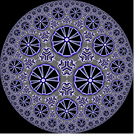
Example: Z & A output


 24 XYza Patterns #
ArtMatic script function :
parameters :
A : Scale (0.0 : 8.0)
B : Phase (-32.0 : 32.0)
C : Frequency (0.0 : 16.0)
D : Smoothness % (0.0 : 1.0)
discussion :
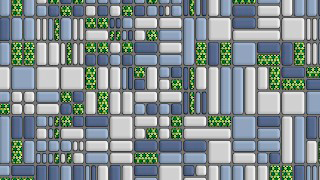
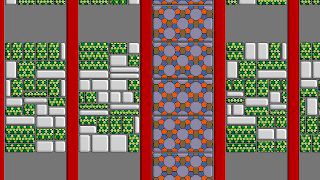
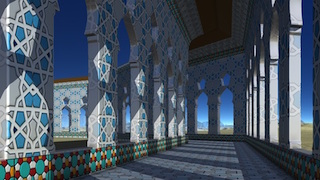
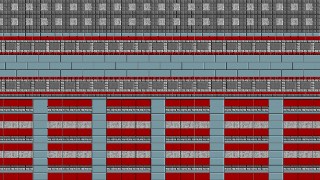
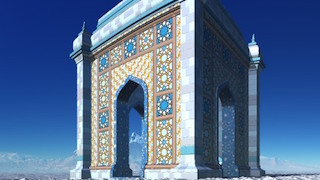
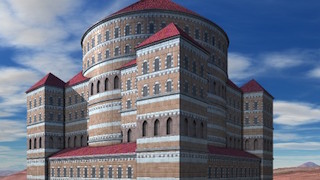
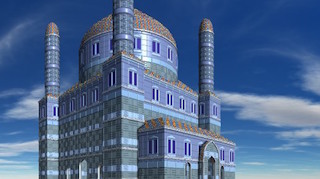
This component provides many interesting irregular tilings and patterns. Most of the patterns are arrangements of various sized blocks.
Some of the algorithms are especially interesting for 3D architecture in ArtMatic Voyager where the z value can be used to apply different textures to different arts of a 3D object or construction. The z value (the index passed from the z output) for some patterns defines roof and ground zones. This allows you to use this component to select from different color textures when used with 44 Packed index (w) Mixer
The z-output of this component is very useful for controlling the mix of a number of textures especially when used with the Packed index Mixer . The z-output range is -2 to 3. There are several different patterns used when generating the z-value. Generally, those patterns that have a "roof" zone set z to -1 for the roof and -2 for the ground.
Some patterns are volumetric and derived from 3D textures with the 'Phase' parameter sliding the slice along the z-axis to reveal pattern variations. Otherwise, 'Phase' offsets the pattern along the x axis.
The 'smoothness' parameter determines edge rounding.
When the option 'link amplitude to frequency' is chosen the 4th output (a) can be used for 3D DF modelling. It will hold in any case the pattern tile elevation, usually zero at the cell edges.


 24 Mondrian
ArtMatic script function :
parameters :
A : Amplitude (0.0 : 2.0)
B : Style (0.0 : 1.0)
C : Frequency (0.0 : 16.0)
D : Color Variance % (0.0 : 1.0)
discussion :
RGB+Alpha color shader that creates a pattern of random blocks reminiscent of the works of Piet Mondrian.The texture has been re-implemented in 1.5 for a better match of Mondrian design. The default color palette gives the classic red yellow blue and white primaries.
The options gives full access to all color modes and freq/amp setting : see the standard 1.5 set of options.
 24 City Blocks
ArtMatic script function :
parameters :
A : Amplitude (0.0 : 2.0)
B : Color Cycle (0.0 : 1.0)
C : Frequency (0.0 : 16.0)
discussion :
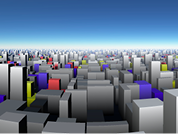
RGB+Alpha color shader that creates a pattern of colored blocks against a black background. When used as the basis of a 4-output tree that supplies RGB+Elevation to ArtMatic Voyager, the result is a terrain that looks like a stylized city with buildings of various heights.
Example: City Blocks in ArtMatic Designer

Example: City Blocks in ArtMatic Voyager
 24 Orthogonal Maze
ArtMatic script function :
parameters :
A : Amplitude (0.0 : 2.0)
B : Color Cycle (0.0 : 1.0)
C : Frequency (0.0 : 16.0)
discussion :
This component creates a color texture that resembles a maze where all the paths connect at 90 degree angles. The alpha channel outlines the maze contour.
 24 Hexagonal Maze
ArtMatic script function :
parameters :
A : Amplitude (0.0 : 2.0)
B : Color Cycle (0.0 : 1.0)
C : Frequency (0.0 : 16.0)
discussion :
This component creates a maze-like texture within an hexagonal lattice geometry. The pattern is shaded with primary staturated colors controlled by 'Color Cycle'. Gray shades are available when 'Color Cycle' is above 0.8.
 24 Light LED Array
ArtMatic script function :
parameters :
A : Amplitude (0.0 : 2.0)
B : Style (0.0 : 1.0)
C : Frequency (0.0 : 16.0)
discussion :
The color texture resembles an array of LED lights. The alpha channel is essentially a grayscale representation of the LED array. The Style parameter determines the visual style of the array. At some settings the array is sparse and LEDs are uniform; at other settings, the spacing is more dense with some variability in LED shading and shape. Leds are shaded with primary staturated colors that you can modify using Color modification tiles like 44 Color Shift.
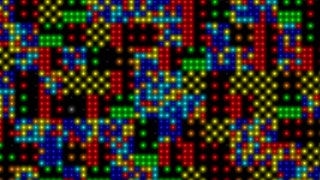
Light LED Array with 'style' at maximum
 24 Accum noises #
ArtMatic script function :
parameters :
A : Amplitude (0.0 : 2.0)
B : Orientation (0.0 : 1.0)
C : Frequency (0.0 : 32.0)
D : Color Variance % (0.0 : 1.0)
discussion :
Accum noises # provides a set of random textures created by the accumulation of randomly placed (and sometimes rotated) RGBA shapes. The simplest shape is a disk as in Dripping dots. In general Background color is shaded with Aux color B. In DF mode contour shading and background shading are disabled.
The options gives full access to all color and freq/amp modes with the 1.5 Color/freq Options set.
 24 Voronoi noises #
ArtMatic script function :
parameters :
A : Amplitude (0.0 : 2.0)
B : Style (0.0 : 1.0)
C : Frequency (0.0 : 16.0)
D : Color Variance % (0.0 : 1.0)
discussion :
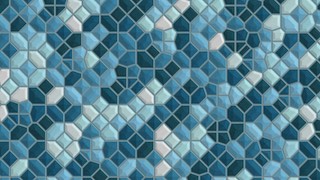
Voronoi noises # implements a set of 2D voronoi based texture where each cell has its random color mapped in the chosen color palette. The DFV set uses a new algorithm that give a correct distance field where the distance to the lines separating the cell is accurate and not an approximation. Hence they are the preferred algorithms to be used in 3D modelling for ArtMatic Voyager.
The "Style" controls several variables that depends on the algorithm but generally "Style" modulates jittering and levels.
For the DFV set in DF modes when "Style" is above 0.75 cells becomes negative progressively. At "Style" 1 only the contour remains.
Voronoi noises # gives full access to all color and freq/amp modes with the 1.5 Color/freq Options set.



 24 Polyhedric noises #
ArtMatic script function :
parameters :
A : Amplitude (0.0 : 2.0)
B : Style (0.0 : 1.0)
C : Frequency (0.0 : 32.0)
D : Color Variance % (0.0 : 1.0)
discussion :
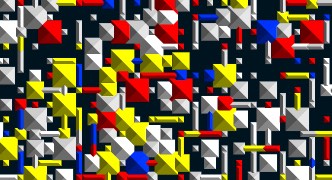
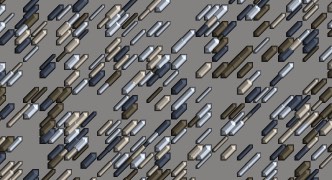
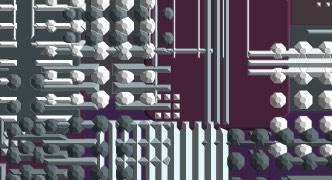
Like Accum noises, Polyhedric noises # creates textures using accumulation of randomly placed RGBA shapes but with more geometrical forms (polyhedrons or lines) for more artificial look. There is a z modulated equivalent in the 34 component z Polyhedric noises #
where z input modulates the level of the alpha.
In general the background will be shaded with the Aux color B and if the contour is shaded (in non DF mode only) it will use the Aux color A.
For legacy compatibility Polygons Rectangular and slanted Polygons uses a black background.
The options gives full access to all color and freq/amp modes with the 1.5 Color/freq Options set.


 24 Triangle Random Mesh
ArtMatic script function :
parameters :
A : Amplitude (0.0 : 4.0)
B : Color variance (0.0 : 1.0)
C : Frequency (0.0 : 16.0)
discussion :
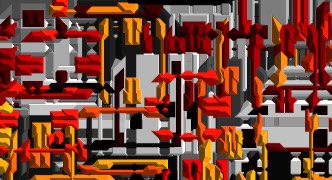
Mesh-like color texture made up of triangles of varied size and shape. Hues of the triangles are mapped into the current gradient colors. 'Color variance' controls the range of the mapping.

Triangle Random Mesh with a rainbow gradient
 24 Random Circles
ArtMatic script function :
parameters :
A : Amplitude (0.0 : 4.0)
B : Color variance (0.0 : 1.0)
C : Frequency (0.0 : 8.0)
discussion :
An arrangement of randomly-sized and shaded circles. Hues of the triangles are mapped into the current gradient colors. 'Color variance' controls the range of the mapping.
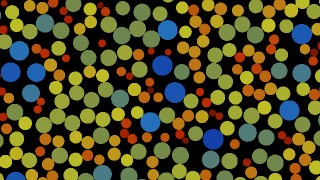
Random Circles
 24 Time R-patchwork
ArtMatic script function :
parameters :
A : Amplitude (0.0 : 1.0)
B : Sharpness % (0.0 : 1.0)
C : Frequency (0.0 : 8.0)
discussion :
Patchwork color texture that is automatically animated by time even with all parameters locked. The pattern is a patchwork of irregular rectangles organized into rectangular patches. When animated, the rectangles within each patch scroll . The Sharpness parameter influences both the lines that delineate the rectangles and the contrast of the alpha channel. When Sharpness is low, the channels that separate the patches are wider than when Sharpness is set higher. When used in ArtMatic Voyager, the rectangles have flat tops and rounded edges when the sharpness is low and beveled tops when sharpness is high. The colors are derived from the current gradient.

Time R-patchwork
 24 Fractal Shaded Clouds
ArtMatic script function :
parameters :
A : Amplitude (0.0 : 4.0)
B : Shadow offset % (0.0 : 1.0)
C : Frequency (0.0 : 16.0)
discussion :
Fractal Shaded Clouds creates a simple illustrative color texture of clouds. The alpha channel (4th output) provides a mask to blend the clouds to any background. The Shadow Offset influences the direction of the pseudo-shadowing on the clouds' undersurface. It has a range of 0-1 and is an offset added to both the sky color and the virtual shadows created by the clouds. When the value is 0, the shadows are vertical and at 1 the sun seems to be coming from the top left. Use a rotation tile at the top of the system is you need to orient the light differently.
Note: Much more realistic clouds can be achieved in Voyager using Volumetric density functions.

2D Fractal Shaded Clouds
 24 Interlaced Grid
ArtMatic script function :
parameters :
A : Rotation (-3.142 : 3.142)
B : Color Cycle (0.0 : 1.0)
C : Frequency (0.0 : 16.0)
D : Spacing % (0.0 : 1.0)
discussion :
This component creates an RGB interlaced grid. The alpha channel provides enhanced 3D texturing when the RGB Alpha Bump color shader is used. The alpha channel also makes the grid spaces transparent.
 24 Regular tiles #
ArtMatic script function :
parameters :
A : Color Cycle (0.0 : 1.0)
B : Color variance % (0.0 : 1.0)
C : Frequency (0.0 : 32.0)
D : Tile aspect ratio (-8.0 : 8.0)
discussion :
Regular tiles # coming soon
 24 Semiregular tiles #
ArtMatic script function :
parameters :
A : Color Cycle (0.0 : 1.0)
B : Color variance % (0.0 : 1.0)
C : Frequency (0.0 : 16.0)
discussion :
This is the color implementation of the tiling algorithms found in XYza Semiregular tiles. See Color Regular tiles above for information about the color mapping and parameter options. Those algorithms with mirror in the name may appear the same as the unmirrored algorithm as the mirroring affects the XY coordinates that are absent from the colored version outputs.
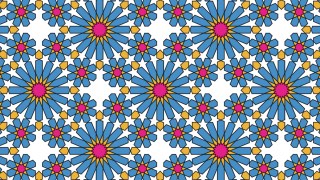
Islamic sixteenfold
 24 Periodic patterns #
ArtMatic script function :
parameters :
A : Amplitude (0.0 : 2.0)
B : Style (0.0 : 1.0)
C : Frequency (0.0 : 16.0)
D : Color Variance % (0.0 : 1.0)
discussion :
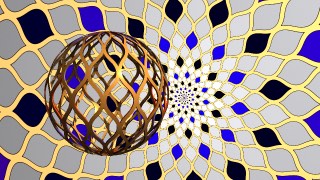
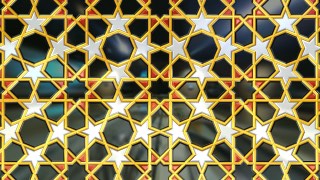
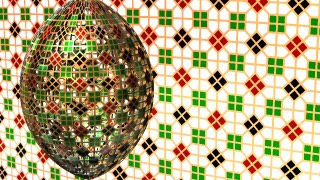
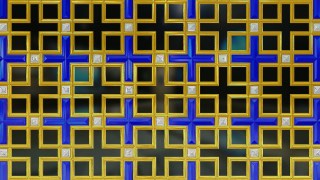
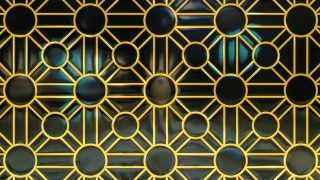
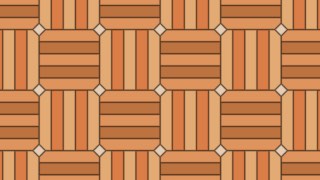
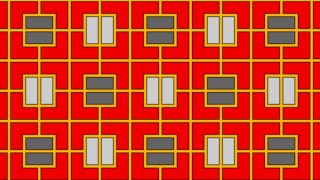
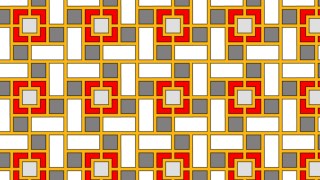
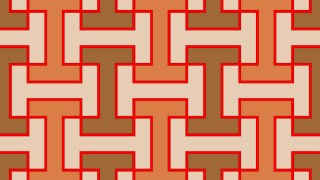
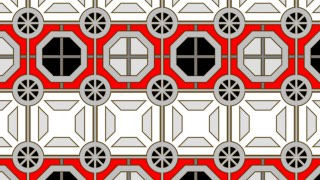
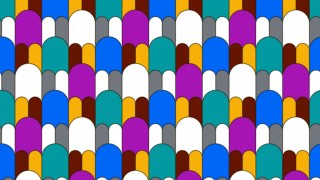
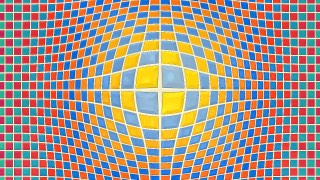
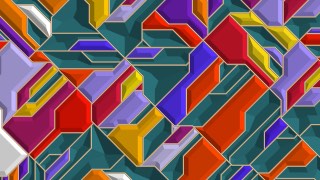
Periodic patterns # provides a large set of 2D DF compatible infinite repetitive patterns that were not covered in existing sets. Many designs were inspired by real life examples found in Dubai or discovering other culture designs like the Korean set. The 4th output provide the alpha channel in non DF mode or the distance estimation in DF modes. In DF mode each of these pattern can be use in 3D modelling to texture and carve objects. In general the "Style" parameter affects one or mode variables and the shading options. A contour line is added at the pattern zero crossings when style is above 0.5. Positive regions will progressively be "emptied" when style is above 0.75. At 1 only the contour remains.
The options gives full access to all color and freq/amp modes with the 1.5 Color/freq Options set.









 24 DF Patterns #
ArtMatic script function :
parameters :
A : Amplitude (0.0 : 2.0)
B : Style (0.0 : 1.0)
C : Frequency (0.0 : 16.0)
D : Color Variance % (0.0 : 1.0)
discussion :
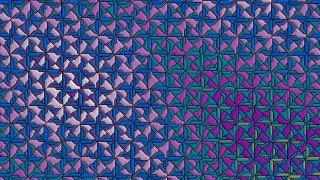
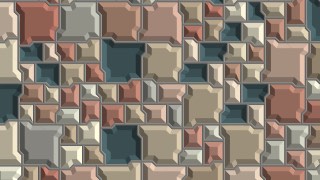
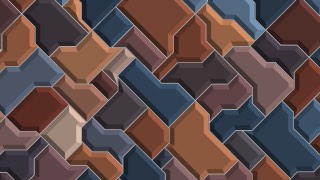
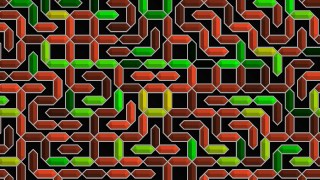
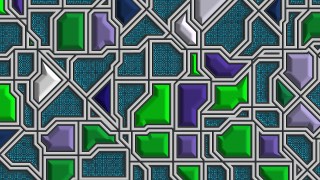
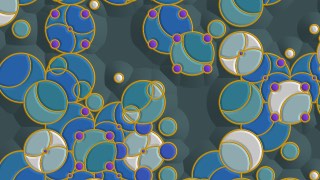
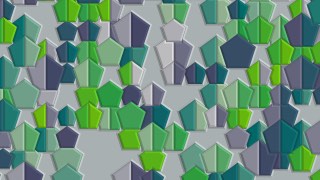
DF Patterns # provides a set of 2D DF compatible randomized non-periodic infinite patterns. Ranging from purely geometric, thematic, or for decorative design they can cover a wide range of use.
A DF contour line shaded with Aux color A is added at the pattern zero crossings when "Style" is above 0.5. In non DF modes the tile border are shaded with the same color as well when style is below 0.5.
Positive regions will progressively be "emptied" when style is above 0.75. At 1 only the contour remains. This mechanism allows to overlay different patterns using logic components.
Several patterns will also set tiles to negatives before the contour is added. In that case the style is multiplied by 2 and the cycle happends twice : once without contour between 0-0.5 and once with contour between 0.5 and 1 range. Then the exact value where tile starts to vanish will after 0.37 and after 0.87.
In non DF mode the negative regions are shaded using Aux color B.
The dynamic icon representation in ArtMatic UI is sensitive to the "Syle" parameter.
The options gives full access to all color and freq/amp modes with the 1.5 Color/freq Options set.
Examples can be found in






 24 Tech Noise #
ArtMatic script function :
parameters :
Algorithm slider : (0 : 18) integer
B : Color Cycle (0.0 : 1.0)
C : Frequency (0.0 : 64.0)
D : Color Variance % (0.0 : 1.0)
discussion :
This component provides unnatural patterns useful for both decorative techno textures and RGB+Elevation maps for ArtMatic Voyager. There is a sharp and smooth version of most patterns. Use the smooth versions when creating systems for use in Voyager since the sharp versions have discontinuities that can cause aliasing problems. 'Color Cycle' generate various hues from dark to bright while 'Color Variance' controls the range of used colors.
Example: Techno Maze.

Example: Signs B.

Example: Line and Dots Lights.
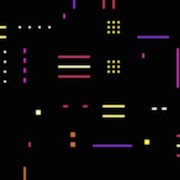
 24 2D Architectural #
ArtMatic script function :
parameters :
A : Amplitude (0.0 : 2.0)
B : Style (0.0 : 1.0)
C : Frequency (0.0 : 16.0)
D : Color variance % (0.0 : 1.0)
discussion :
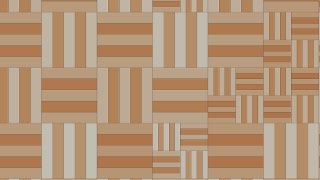
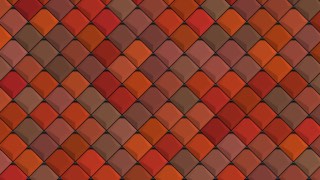
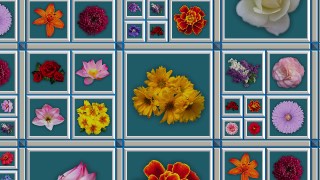
2D Architectural # provides a set of complex 2D textures designed for architectural and decorative usage. They may be periodic at a large scale but often use internal randomisation even if the overall structure repeats. Sometimes the style parameter will affect the texture design and provide variations. Depending on which specific algorithm the shading may behave like the periodic patterns set (contour lines added above 0.5 etc) or not.
The 4th output provide the alpha channel in non DF mode or the distance estimation in DF modes. In any case in can be used for bump mapping or terrain modulation. In DF mode each of these pattern can be use in 3D modelling to texture and carve objects.
2D Architectural has a 3D equivalent but specific stylistic designs in 3D are much more difficult so the 2D version is still often preferable even if it needs more work to get proper uv coordinates.
The options picker gives full access to all color and freq/amp modes with the 1.5 Color/freq Options set.



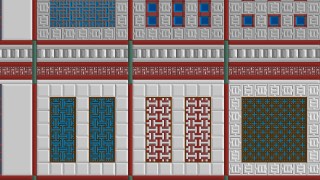
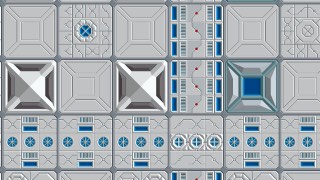
 24 City Maps # (xziy)
ArtMatic script function :
parameters :
Algorithm slider : (0 : 9) integer
B : Amplitude (0.0 : 4.0)
C : Frequency (0.0 : 8.0)
discussion :
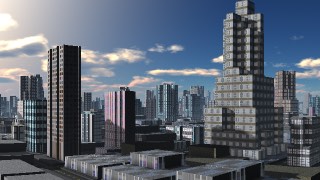
This is a component dedicated to creating terrain-based cities in ArtMatic Voyager. The outputs are interpreted differently than most other components and are intended to be used with components specially-designed for creating ArtMatic Voyager cities. The first two outputs (here called x and z) are passed through unchanged and are the ground co-ordinates for the city structures. The third output (i) is a texture index (value: -2 to +128) and is designed to be used by special components (currently 44 xziy City Textures and 42 City Light and Ref) to select a particular pattern from the city textures bank shared by the components. Negative values of i select street textures and values 0 and greater select buildings. The fourth output (y) is the terrain-city elevation.
Feed the output of this component to 44 xziy City Textures to create cities (in ArtMatic Voyager) and to 42 City Light and Ref to create reflections and window lighting. Cities based on terrains cannot have overhangs and are much more simplistic than the real 3D volumetric infinite cities introduced in ArtMatic Designer 7.x, but they are fast and still can be used for far away backgrounds when less details are needed.
Pattern determines the city layout algorithm that can also be chosen with the pop up menu.
Example: ArtMatic Voyager Classic "High Rise" xyzi city
 24 MultiFractal noise
ArtMatic script function :
parameters :
A : Amplitude (0.0 : 8.0)
B : Roughness (0.0 : 1.0)
C : Frequency (0.0 : 32.0)
D : Contrast % (0.0 : 1.0)
discussion :
RGB+Alpha version of this great noise function. The alpha channel is an independent multi-fractal noise similar to the 21 MultiFractal noise . Essentially, this component that combines the 23 MultiFractal Noise that provides the colors with a 21 MultiFractal Noise.'Roughness' controls the overall fractal dimension. 'Frequency' abides to the standard frequency options settings. 'Contrast' adjust the contrast and saturation of surface's colors.
 24 Sparse MultiFractal
ArtMatic script function :
parameters :
A : Amplitude (-16.0 : 16.0)
B : Roughness (0.0 : 1.0)
C : Frequency (0.0 : 32.0)
D : Contrast % (0.0 : 1.0)
discussion :
This version of MultiFractal Noise has a sparse distribution of the texture's colors with more neutral warm dark gray shades in the valleys. 'Roughness' controls the overall fractal dimension. 'Frequency' abides to the standard frequency options settings.

A Sparse MultiFractal terrain with a base frequency of 2km in Voyager DF mode
 24 Ridged noise
ArtMatic script function :
parameters :
A : Amplitude (-16.0 : 16.0)
B : Roughness (0.0 : 1.0)
C : Frequency (0.0 : 32.0)
discussion :
This is a gray and tan fractal noise function that creates lovely textures and is very useful in ArtMatic Voyager where it creates lovely desert /volcanic surfaces and coloration. 'Roughness' controls the overall fractal dimension. 'Frequency' abides to the standard frequency options settings.
 24 Fractal facets
ArtMatic script function :
parameters :
A : Amplitude (-16.0 : 16.0)
B : Roughness (0.0 : 1.0)
C : Frequency (0.0 : 32.0)
discussion :
This RGB+Alpha component creates a color texture of muted grays and an alpha channel whose contours are something like a lunar surface that has smooth areas pocked with craters and faceted ridgelines.
'Roughness' controls the overall fractal dimension. 'Frequency' abides to the standard frequency options settings.

A Fractal facets terrain with a base frequency of 5km in Voyager DF mode
 24 Dunes
ArtMatic script function :
parameters :
A : Amplitude (-16.0 : 16.0)
B : Amount (0.0 : 1.0)
C : Frequency (0.0 : 16.0)
discussion :
As the name implies, this component provides sand dune coloration and surface contours when used in ArtMatic Voyager. 'Amplitude' governs the dune height and 'Amount' governs the distribution and contours of the dunes.'Frequency' abides to the standard frequency options settings.
 24 Lunar Granite noise
ArtMatic script function :
parameters :
A : Amplitude (0.0 : 8.0)
B : Roughness (0.0 : 1.0)
C : Frequency (0.0 : 32.0)
D : Contrast % (0.0 : 1.0)
discussion :
Lunar Granite creates a chaotic texture akin a granitic rock with shades of brown and green in the rough regions. 'Contrast' adjust the contrast and saturation of surface's colors. Other parameters works as usual.'Frequency' abides to the standard frequency options settings.

A Lunar Granite terrain with a base frequency of 5km in Voyager DF mode
 24 Accum surfaces #
ArtMatic script function :
parameters :
A : Amplitude (-8.0 : 2.0)
B : Style (0.0 : 1.0)
C : Frequency (0.0 : 16.0)
D : Tint (0.0 : 1.0)
discussion :
Accum surfaces # provides Band-limited (high frequencies are filtered) versions of accumulation based random textures suited for terrains design for ArtMatic Voyager. They can of course be used as textures for 2D but they will "vanish" when frequencies gets above a limit level, usually below pixel level.
The options gives full access to all color and freq/amp modes with the 1.5 Color/freq Options set.
 24 Rocks
ArtMatic script function :
parameters :
A : Amplitude (-16.0 : 16.0)
B : Amount (0.0 : 1.0)
C : Frequency (0.0 : 32.0)
D : Tint (0.0 : 1.0)
discussion :
Color texture+elevation component useful for creating rocky surfaces in ArtMatic Voyager. In Voyager's combination mode 'Rocks' can be used to add rocky areas to built-in planets.'Tint' adjust the color shading of surface's colors with dark contrasted bluish tones in the middle to sienna earth brighter tones near maximum.'Frequency' abides to the standard frequency options settings.
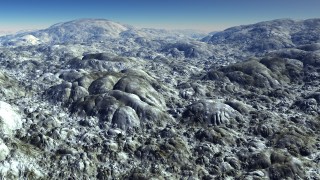
'24 Rocks' terrain with a base frequency of 5km in Voyager DF mode and 'Tint' at 0.8
 24 Lichen rocks
ArtMatic script function :
parameters :
A : Amplitude (-16.0 : 16.0)
B : Amount (0.0 : 1.0)
C : Frequency (0.0 : 32.0)
discussion :
Color texture+elevation component that creates the appearance of yellow-green lichen-covered rocks when used in ArtMatic Voyager. 'Amount' controls the statistical weight of the rocks.
'Frequency' abides to the standard frequency options settings.
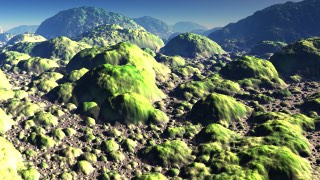
'Lichen Rocks' terrain with a base frequency of 5km in Voyager DF mode and 'Tint' at 0.8
 24 Pebbles
ArtMatic script function :
parameters :
A : Amplitude (0.0 : 16.0)
B : Roughness (0.0 : 1.0)
C : Frequency (0.0 : 16.0)
discussion :
Realistic color texture+elevation component that imitates multi-colored quartz pebbles. This component is great for adding pebbles to the seashore in ArtMatic Voyager. When 'Roughness' is low the peebles are round and softer. 'Frequency' needs to be higher (lower in DF mode) than usual to keep peeble size realistic.
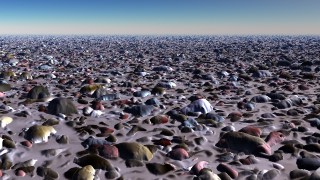
'Pebbles' terrain with a base frequency of 0.05km in Voyager DF mode and 'Roughness' near 0.5
 24 Dome Rock
ArtMatic script function :
parameters :
A : Amplitude (-16.0 : 16.0)
B : Amount (0.0 : 1.0)
C : Frequency (0.0 : 32.0)
D : Roughness (0.250 : 0.750)
discussion :
Color texture+elevation component that creates a rocky landscape with boulders whose surfaces are rounded. 'Amount' controls the shape of the boulders by clamping more or less while 'Roughness' controls the overall fractal dimension.
'Frequency' abides to the standard frequency options settings.
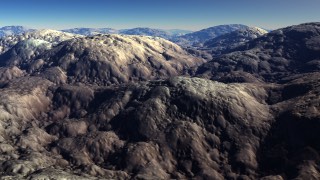
'Dome Rock' terrain with a base frequency of 2km in Voyager DF mode and 'Amount' at 0.75
 24 Earth Cracks
ArtMatic script function :
parameters :
A : Amplitude (-16.0 : 16.0)
B : Amount (0.0 : 1.0)
C : Frequency (0.0 : 16.0)
discussion :
Color texture+elevation component that creates a terrain of cracked earth. The 'Amount' parameter influences the steepness of the cracks as well as the size of the "dry river beds" found in the terrain.
 24 Fractal Curves
ArtMatic script function :
parameters :
A : Amplitude (-16.0 : 16.0)
B : Amount (0.0 : 1.0)
C : Frequency (0.0 : 16.0)
D : Tint (0.0 : 1.0)
discussion :
The RGB output is a pictural color fractal noise. The alpha channel hold the elevations which resembles a meandering river system's contours. The amplitude of each "river" depends on the proximity with a bigger river. The original peaks of the underlying Perlin noise tends to remain smooth while smaller rivers gets more pronounced in the valleys. Note the 'Amplitude' parameter affects only the terrain elevation but not the color output of the component.
The 'Tint' parameter changes the set of colors with pink/velvet at low values, greenish tones in the middle and reddish tones near the maximum.
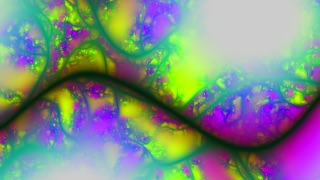
'Fractal Curves' as a procedural color texture in ArtMatic with 'Tint' at 0.1

'Fractal Curves' terrain with a base frequency of 5km (Voyager DF mode) and 'Tint' at 0.9
 24 Vein network
ArtMatic script function :
parameters :
A : Amplitude (0.0 : 8.0)
B : Roughness (0.0 : 1.0)
C : Frequency (0.0 : 16.0)
D : Tint (0.0 : 1.0)
discussion :
Color-texture that resembles an infinite network of veined leaf. The alpha channels matches the leaf's veins and provides the terrain elevation when used as a colored-surface. Surface valleys tends to be darker. 'Roughness' adjust the shading by contrasting it and 'Tint' sets the overall hues of the texture with autumn-like shades when high.
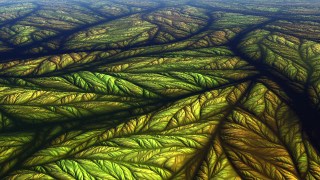
'Vein network' terrain with a base frequency of 5km, Tint at 0.5, and a low Amplitude.
 24 Packed Crossfade
ArtMatic script function :
parameters :
A : Blend % (0.0 : 1.0)
discussion :
Crossfade two RGBA packed inputs using a linear interpolation. 'Interpolate' parameter determines the balance between the two inputs. The function is also available with a packed output using 21 S:P Maths # component with the 'blend' algorithm.
Script examples:
vec4 vb = RGBA_PictMovie(X,Y);
vec4 vout = mix(va,vb,0.75); // Implicit Packed Crossfade with parameter set to 0.75
Explicit call : RGB_Crossfade(va,vb);
 24 Packed Maths #
ArtMatic script function :
parameters :
A : Blend Color % (0.0 : 1.0)
B : Blend Alpha % (0.0 : 1.0)
discussion :
Packed Maths provides several algorithms to blend RGBA images. For all algorithms, parameter A is the color blending control. The meanings of parameters B and C may vary with the algorithm. This component is useful for blending both RGBA images and color DF objects according to various logic with the possibility to treat alpha or DF data differently than RGB data.
Examples: Blend Alphas and Colors
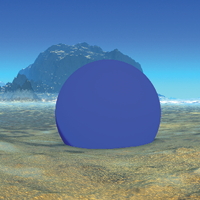
Mapped to a Sphere

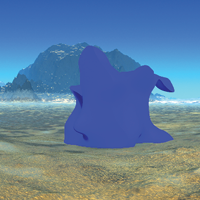
Mapped to a Distorted Cube

Example: Blend on Highs(A)
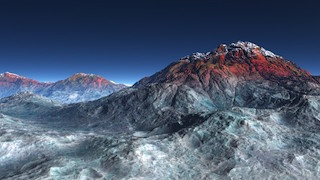
 24 Packed Logic #
ArtMatic script function :
parameters :
A : Smoothness % (0.0 : 32.0)
B : Follow A % (0.0 : 1.0)
C : Mix Color A % (0.0 : 1.0)
discussion :
Packed Logic provides a variety of ways to mix two RGBA streams or two colored DF 3D objects (where object color is in the first three inputs and the distance field is in the fourth input). It is similar to 21 Logic tools # but is useful for combining colored objects.
Learn more about DF modelling in Building 3D Objects : DFRM guide.
Example: Intersection (Min) - X: Yellow Sphere and Y: Blue Cube

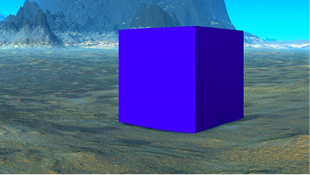

 24 Packed Alpha Max
ArtMatic script function :
parameters :
A : Level balance (-1.0 : 1.0) E9 options
B : Follow A (0.0 : 1.0)
C : Alpha smoothing % (0.0 : 32.0)
D : Color smoothing % (0.0 : 1.0)
discussion :
Returns the RGBA stream that has the maximum alpha value. The smoothing parameter can smooth color and alpha independently. Use Alpha smoothing to avoid a sharp edge at the intersection of the 2 inputs.
 24 Packed Alpha blend
ArtMatic script function :
parameters :
A : Feather % (0.0 : 1.0)
B : Add A % (0.0 : 1.0)
C : Flatten B % (0.0 : 1.0)
discussion :
Blend input B with input A treating A as the background image. Input B's transparency is determined by its alpha mask value. For instance, where input B's alpha mask is 0, its image will be invisible (because it is completely transparent).
It is similar to Packed_Alpha_Compose but handle the alpha result differently for applications in Terrains design when alpha is interpreted as elevation. While the logic will puts B elevation when over zero it is possible to add the source elevation with the Add A % parameter. For images compositing use Packed Alpha Compose preferentially.
'Feather' % scales the Input B alpha mask values before the blending.
 24 Packed Alpha Compose
ArtMatic script function :
parameters :
A : Feather % (0.0 : 2.0)
B : Threshold (-1.0 : 1.0) E9 options
discussion :
This component provides two algorithms for compositing two RGBA streams. It will use the right input alpha to compose it over left input.
The left input may or not have an alpha channel.
Script example: compose a sprite over a background
vec2 vb = Maths.affine(X,Y);
vec4 vc = RGBA_PictMovie(vb.x,vb.y);//put a sprite there
vec4 vout1 = RGBA_Compose.max(va,vc);
 24 Packed Morph
ArtMatic script function :
parameters :
A : Blend A->B (0.0 : 1.0)
B : Color Feather % (0.0 : 1.0)
discussion :
Packed morph uses exponentials to blend between two RGBA input streams. The morph equation, log(exp(A) + exp(B)) , creates a smooth blending of the two inputs when their alpha values are close but works like a maximum function when they are far apart.
'Interpolate A->B' parameters sets the balance between A & B. Keep it in the middle for a natural 'union' of both. 'Color Feather' will control how much color will blend in the morphing.
 24 Compiled tree (Subtree)
ArtMatic script function :
parameters :
A : Blend (0.0 : 1.0)
B : Recursions # (0 : 256) integer
discussion :
Compiled trees are groups of tiles that can be used in place of single tiles as a kind of macro or subroutine.
24 CT can return complex 2D RGBA textures and can hold any tree with 2 inputs and 4 outputs.
usage :
Select a 24 tile and use Tree menu : "New compiled tree" to create a new CT from the selection (or type 'n' key).
With E9 you may also create a 24 CT using ArtMatic script language (Tree menu : New CT as text ) and directly type the fonction you want.
To save a CT on disk to use the function elsewhere use Save compiled tree from the Tree Edit menu.
You may also copy and paste the entire CT by using Copy Tile and Paste Tile from the Edit menu.
24 CT can be used recursively if the option "Allow feedback" is set. In that case output 1 & 2 is fed to the input 1 & 2 at second iteration and the transform will be applied N times, N being set by the "Recursions" parameter. Recursions over 2D space transforms provide a simple an efficient way to generate 2D fractals. The two extra outputs can be used to send 2 alternate values like alpha channel, elevation or DF fields.